

Navigation
Install the app
How to install the app on iOS
Follow along with the video below to see how to install our site as a web app on your home screen.
Note: This feature may not be available in some browsers.
More options
Style variation
You are using an out of date browser. It may not display this or other websites correctly.
You should upgrade or use an alternative browser.
You should upgrade or use an alternative browser.
Our little gem..Jasper
- Thread starter mbfrench
- Start date

Chris
Premium Member
That is one seriously adorable pair! 
Michele those are GREAT pictures! I have the first one saved as my desktop background now.
Oh yeah...the picture fix settings in the Vista Windows Photo Gallery will FIX the red-eye on Trapp (or at least it did here). Just open the picture, click the "FIX" button in the top toolbar and that opens another toolbar along the right of the picture. Select "auto fix" when you want to correct tone/brightness, but then there is a red eye fix below that...you just draw a box around each eye and BING its a dark eye again!
I don't know if it will work when the doggie's eyes flash green or blue, but it did work for the red flash!
Oh yeah...the picture fix settings in the Vista Windows Photo Gallery will FIX the red-eye on Trapp (or at least it did here). Just open the picture, click the "FIX" button in the top toolbar and that opens another toolbar along the right of the picture. Select "auto fix" when you want to correct tone/brightness, but then there is a red eye fix below that...you just draw a box around each eye and BING its a dark eye again!
I don't know if it will work when the doggie's eyes flash green or blue, but it did work for the red flash!
Michele those are GREAT pictures! I have the first one saved as my desktop background now.
Oh yeah...the picture fix settings in the Vista Windows Photo Gallery will FIX the red-eye on Trapp (or at least it did here). Just open the picture, click the "FIX" button in the top toolbar and that opens another toolbar along the right of the picture. Select "auto fix" when you want to correct tone/brightness, but then there is a red eye fix below that...you just draw a box around each eye and BING its a dark eye again!
I don't know if it will work when the doggie's eyes flash green or blue, but it did work for the red flash!
I just totally missed the red eye.I uploaded them quite early this morning from my camera. I'll go fix them soon.
I'm so glad you liked the pictures.I have it also as my desktop background.
Wished I had a printer.I'm pretty sure Eric & Lynn got me a new one for Christmas..but we have'nt had Christmas yet with them.


And by the looks of things,with work schedules,it will be not close to my birthday either before we see them.
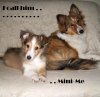
No such thing as puppy picture overload.
But there is puppy madness.....
Janet...I love it. Geesh can't wait to show Brian.
No such thing as puppy picture overload.
But there is puppy madness.....
Awwwwwwwww!